How to make a meme online
Choose a meme format, write readable captions, use your own photo and export a watermark-free image. A practical guide to the ilovecollage meme editor.
 ilovecollage
ilovecollage
Assign three roles: a tempting distraction, the person tempted, and the responsibility being ignored. The glance creates the story; the labels explain who or what each character represents.
Open Distracted Boyfriend in the editor
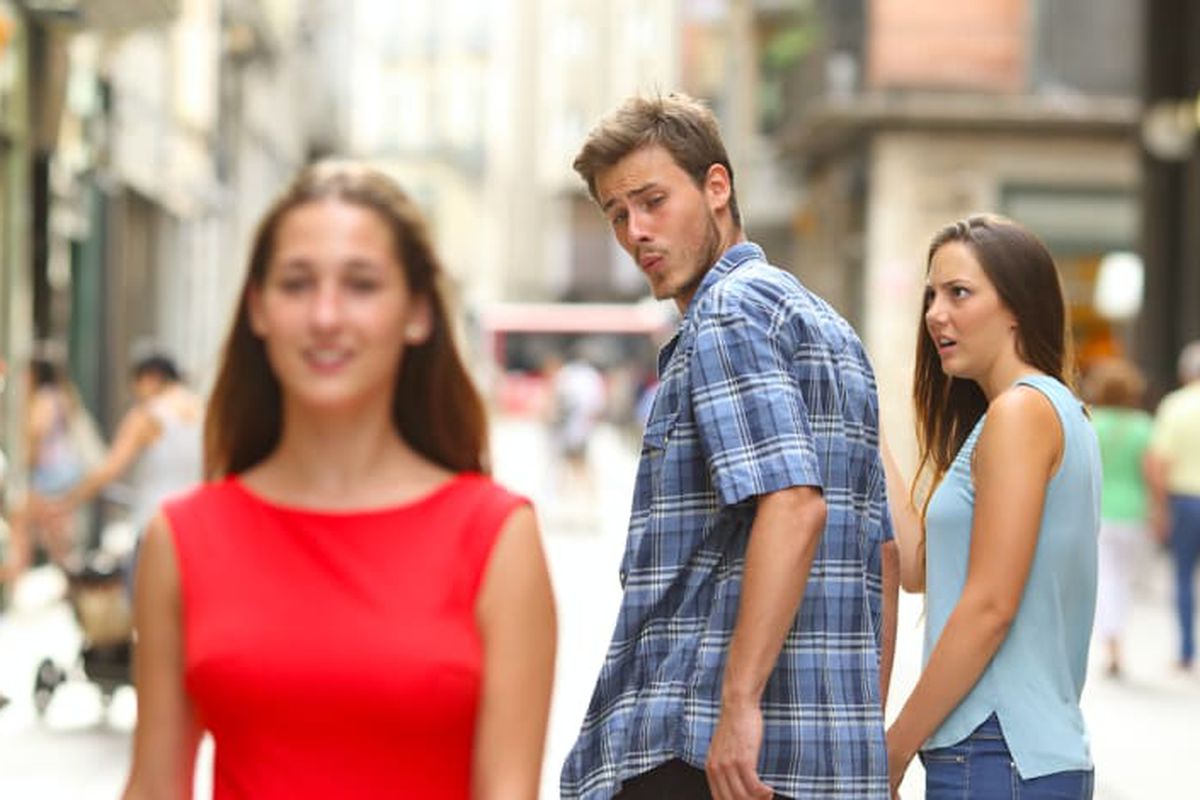
These are original example captions to show the structure. Replace them with your own wording in the editor.
.collage project if you want an editable backup.Give each character a distinct role and keep labels near the right person. Avoid covering faces or placing the text across two characters. White outlined text can remain readable across the busy scene; a background label is another option.
Review at phone size before sharing. The editor does not add a watermark, and editing or exporting does not require an account.
Use Two Buttons when the joke is about making a difficult decision. Distracted Boyfriend works better when attention has already shifted away from an existing commitment.
See another caption arrangement, or browse the full meme template library.
The bundled image is a third-party meme template. Attribution identifies its source and does not grant an unrestricted license. Use images you own or have permission to use, and check the rights needed for commercial or promotional uses.
Choose a meme format, write readable captions, use your own photo and export a watermark-free image. A practical guide to the ilovecollage meme editor.
Place top-and-bottom text, use a caption above your photo, and choose outlines or backgrounds. Keep meme captions readable in the ilovecollage editor.