How to make a meme online
Choose a meme format, write readable captions, use your own photo and export a watermark-free image. A practical guide to the ilovecollage meme editor.
 ilovecollage
ilovecollage
Put the imagined result in the left panel and the actual result in the right. Use two pictures with a clear contrast so the viewer understands the joke before reading a long explanation.
Open Expectation vs Reality in the editor
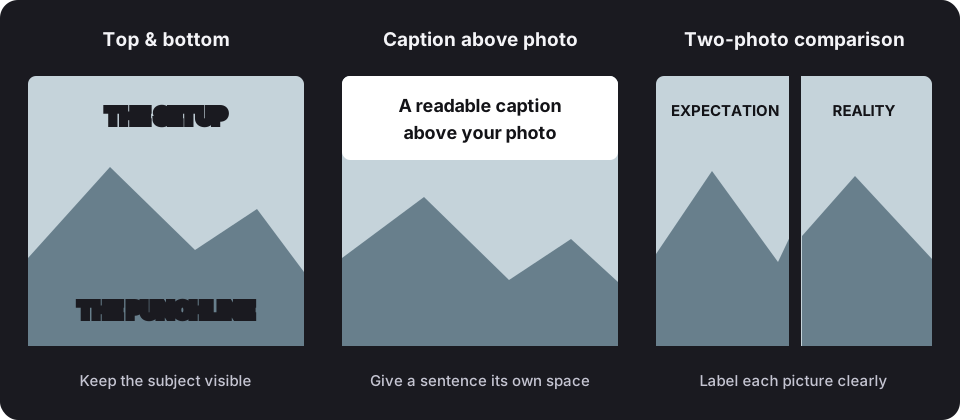
These are original example captions to show the structure. Replace them with your own wording in the editor.
.collage project if you want an editable backup.Select the two-photo format and upload pictures for both cells. Match the framing where possible: two rooms, two meals or two versions of the same task are easy to compare. Check Fit versus Fill so important details are not cropped. Swap the first two photos if they are in the wrong order; the captions remain in place.
Review at phone size before sharing. The editor does not add a watermark, and editing or exporting does not require an account.
For a literal progress comparison with a reveal slider, use the Then & Now tool. It aligns two moments rather than arranging them as a joke.
See another caption arrangement, or browse the full meme template library.
This layout does not include a third-party photo. Use images you own or have permission to use, and check the rights needed for commercial or promotional uses.
Choose a meme format, write readable captions, use your own photo and export a watermark-free image. A practical guide to the ilovecollage meme editor.
Place top-and-bottom text, use a caption above your photo, and choose outlines or backgrounds. Keep meme captions readable in the ilovecollage editor.