How to make a meme online
Choose a meme format, write readable captions, use your own photo and export a watermark-free image. A practical guide to the ilovecollage meme editor.
 ilovecollage
ilovecollage
Add a setup near the top of your own picture and put the punchline near the bottom. The image should connect the two lines, rather than merely decorate the text.
Open Classic Top & Bottom in the editor
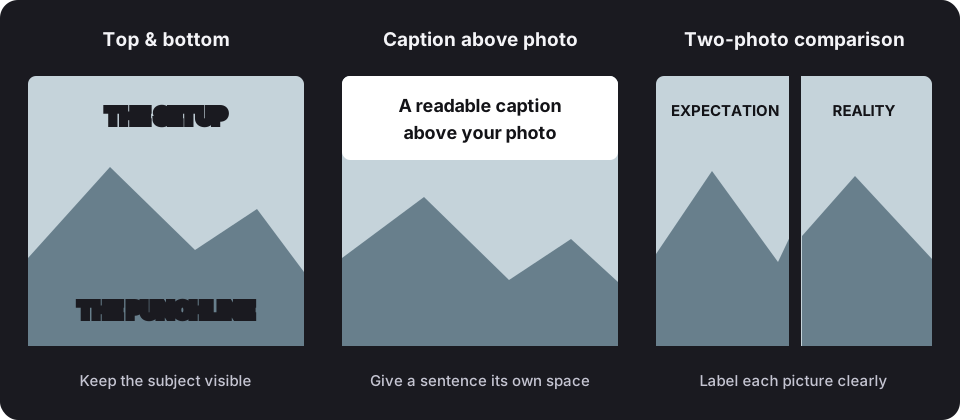
These are original example captions to show the structure. Replace them with your own wording in the editor.
.collage project if you want an editable backup.Leave the main subject visible between the captions. Outlined white lettering is useful on mixed backgrounds; a caption background can help if the image is very busy. Try sentence case if all-caps text feels too dense. Upload a JPG, PNG or WebP image you have permission to use.
Review at phone size before sharing. The editor does not add a watermark, and editing or exporting does not require an account.
If your joke needs two images, choose Expectation vs Reality and label each panel instead of forcing both scenes into one photo.
See another caption arrangement, or browse the full meme template library.
This layout does not include a third-party photo. Use images you own or have permission to use, and check the rights needed for commercial or promotional uses.
Choose a meme format, write readable captions, use your own photo and export a watermark-free image. A practical guide to the ilovecollage meme editor.
Place top-and-bottom text, use a caption above your photo, and choose outlines or backgrounds. Keep meme captions readable in the ilovecollage editor.